 Lexevra
Read beyond
the language.
Translate selected text and text in images, right where you read. On your device, in Chrome.
See how it works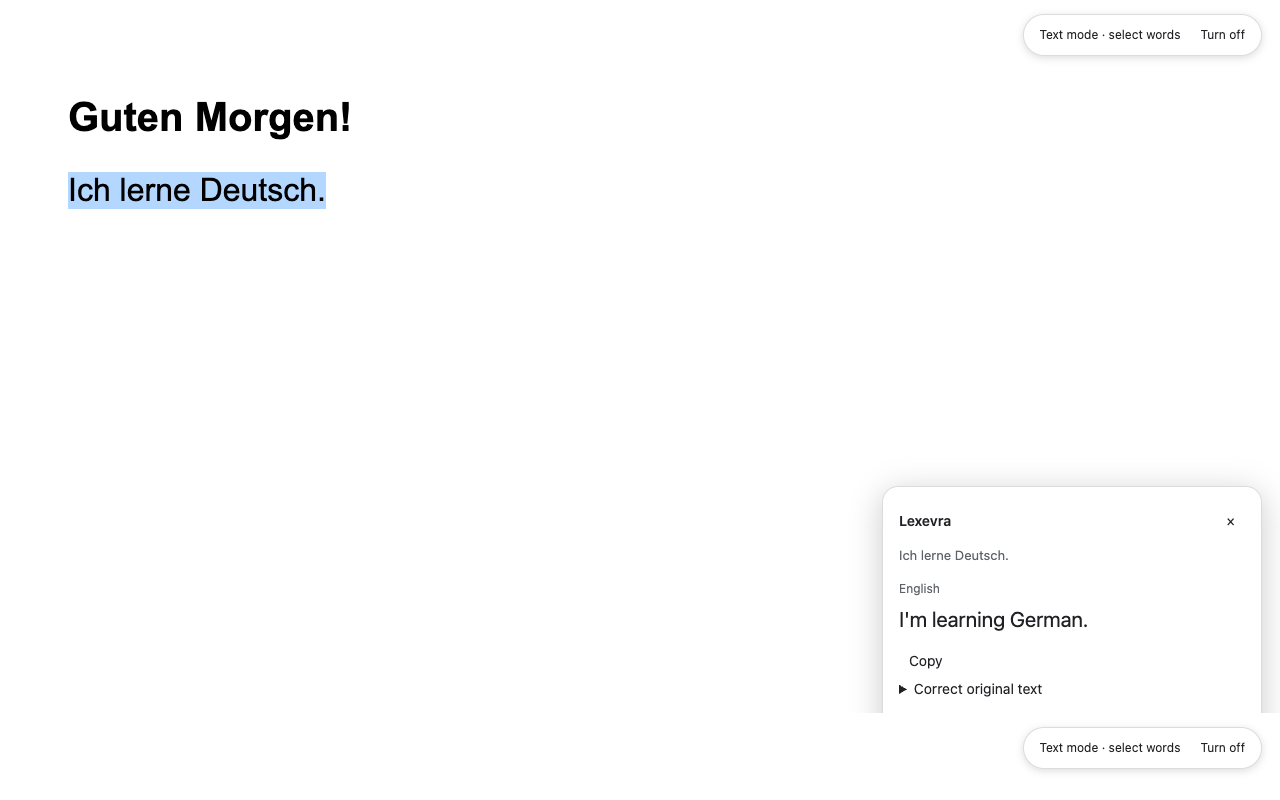
No account, API key or subscription required.
A little less switching.
A little more understanding.
Keep the original in view and translate the part you need.
- 01
Open Lexevra
Click the extension in Chrome. Choose your languages and text or image mode.
- 02
Select or draw
Highlight a sentence, or drag around visible text in an image or PDF. Release to translate.
- 03
Keep reading
Read or copy the result. Correct recognized text when needed, then make your next selection.
Your words stay on your device.
Read the privacy policy ↗Text recognition uses bundled OCR. Translation uses Chrome’s on-device language packs. Lexevra doesn’t send your selected text or screenshots to a translation server.
It activates in the tab you invoke. Turn it off, close the source tab or navigate away to clear that tab’s temporary work.
First-use language-pack downloads need an internet connection. Once the required models are ready, supported translation and OCR work offline.
Before you begin.
Can I install it from the Chrome Web Store?
The first public release is being prepared. This page will link to the official Chrome Web Store listing when it is available.
Which languages can it read?
Bundled image-reading models support German with English, English, French, Spanish, Italian, Turkish and Bengali. Translation language pairs depend on the models available in Chrome on your device.
Does it work with PDFs?
Yes, for visible content that Chrome makes available. Restricted PDF viewers use a snapshot workspace. You can also paste copied PDF text to skip image recognition. Local files need Chrome’s file-access setting enabled.
How accurate are the translations?
Quality varies by language and context. Idioms and ambiguous words can be translated literally or incorrectly. Select a complete sentence, correct OCR mistakes and use surrounding context where available. Verify important meanings.
What do I need?
Desktop Google Chrome 138 or later, with Chrome’s Translator API available. The first language-pack download needs internet access. Managed devices may restrict these browser features.